
In the previous blog we shared how the pros are using AI tools to get out of writing ruts, analyze data, inform strategy, and automate marketing flows. The use cases were way more diverse than we imagined.
8. Repurpose long-form content for social media posts
Social media marketing is one of the best channels for brand awareness and lead generation. But it’s also a never-ending grind that requires a constant flow of content ideas to stay relevant.
Anna came through with another AI tip: a way to pull social media posts from the content she previously produced. “I’ve already done the hard work by crafting long-form content. Why not use AI to speed up the process of creating social posts?”
Anna uses a content summarization feature in the generative AI platform Writer to do this.
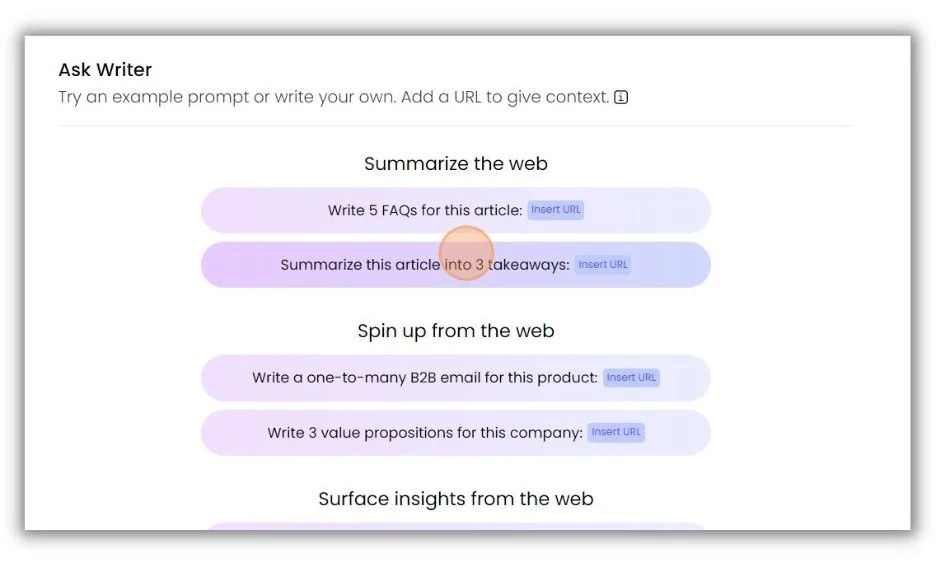
After dropping in the URL of her source article, Writer comes back with a brief synopsis of three key takeaways.
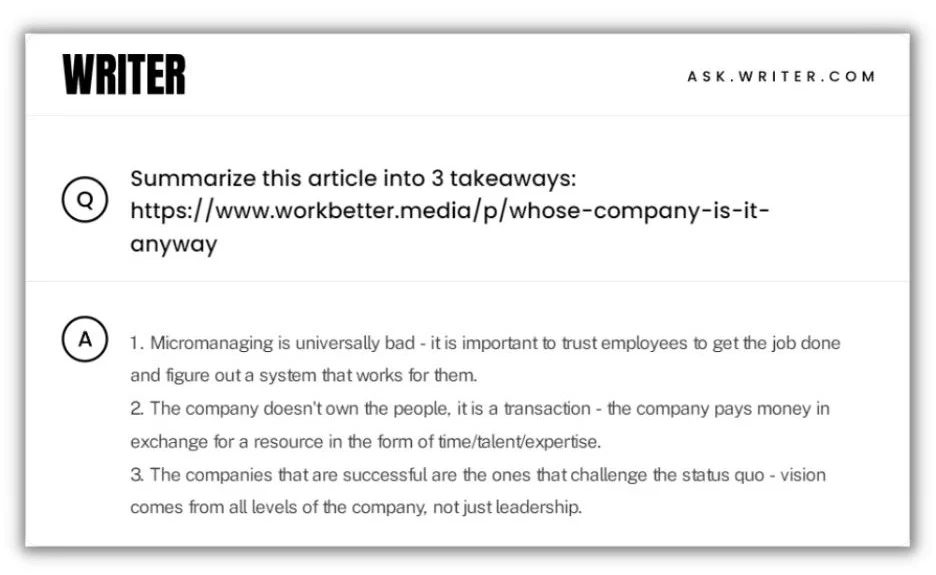
Next, she pastes the takeaways into Trello, the tool she uses for content planning. Those snippets inspire social posts when she’s ready to write them.
Why not just ask AI to write the posts? “You can try and use AI to write social posts for you, but I’ve found that it never sounds like me,” Anna said. “I’d rather use key takeaways as a launching pad and write my own social posts.”
9. Create customized SMS and email marketing campaigns
Customer journeys are like choose-your-own-adventure stories with dozens or hundreds of potential flows. Personalizing those journeys requires a lot of manual work.
Angela Rollins, an ecommerce-focused content marketer and strategist, suggested a tool called Attentive AI as a solution. “Instead of manually creating all the different flows a brand normally would and layering on segments, Attentive AI basically personalizes SMS and email messages at scale based on all the data a brand has on its customers,” Angela explained.
This screenshot from Attentive AI’s website shows the campaign creation workflow.
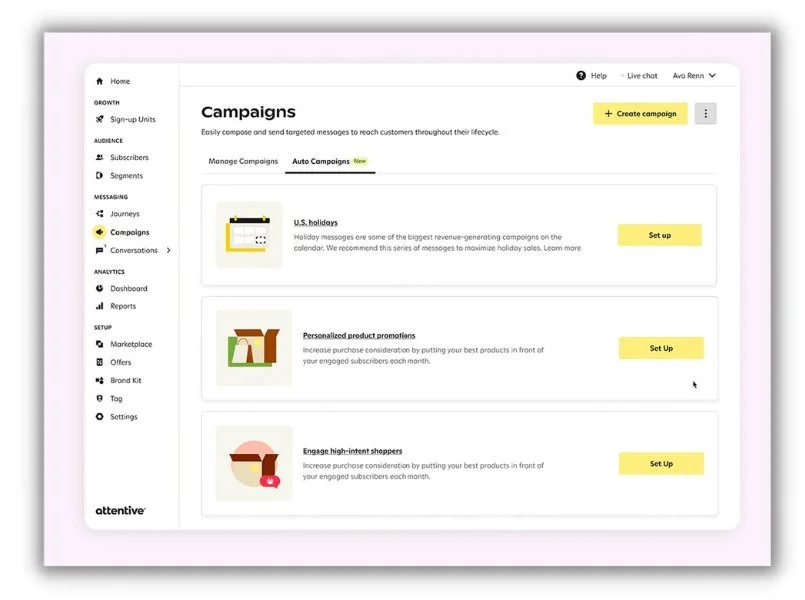
The tool continually learns from the highest-performing marketing interactions to create multi-channel campaigns. It can also build refined segments from your pool of subscribers and dial in the best time to send messages for the highest rate of response.
By using AI, you can “send each person the right message at the right time depending on where they’re at in their relationship with the brand,” Angela said.
10. Prepare an interview question list
Here’s an exciting use of AI’s ability to riff off an existing text. Angela gives the AI assistant Claude outlines and asks it to fill out question lists for subject matter expert interviews.
Here’s an anonymized version of a conversation Angela recently had with Claude.
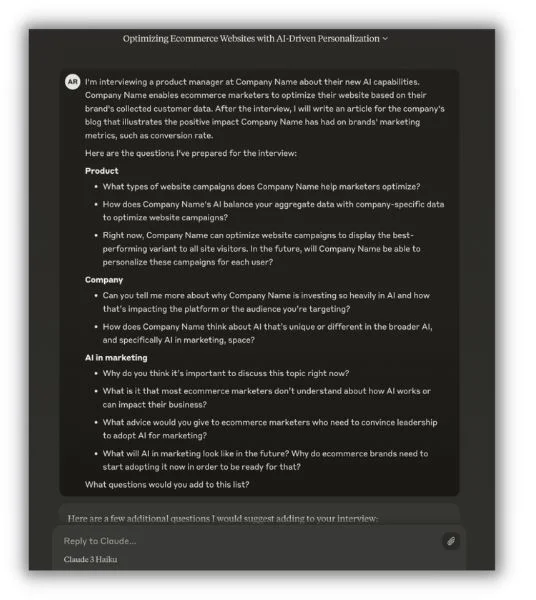
Claude replied with some pretty insightful new questions to add to the list. It even categorized them like Angela did in the original structure.
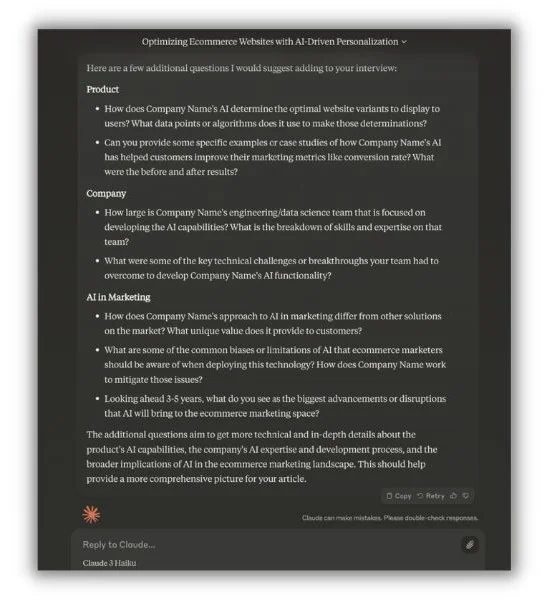
Once the interview is over, Angela goes back to Claude to help pull out the most interesting bits. “It’s so helpful to just plug large amounts of content into Claude and ask it to summarize for me. That helps me find specific answers from a long interview.”
11. Improve design elements in email headers
Marketers who aren’t necessarily graphic designers are often called on to produce visuals for the assets they manage. When Ceillie Clark-Keene, Head of Marketing & Communications at Building Ventures, finds herself in this position, she turns to AI.
“I’m not a designer, but I do put together the occasional email header,” she said. “I’ve started experimenting with the AI features in Canva and Designs.ai to improve design elements or generate graphics.”
I gave it a try on Canva. I had trouble creating a new newsletter design (I found plenty of pre-made templates), but with a few clicks, I got a handful of post designs that were properly sized for Instagram.
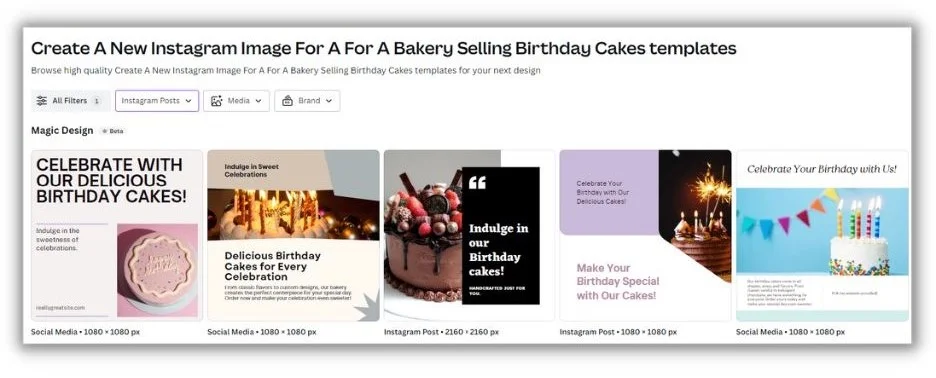
“These tools help me create better graphics for those times when outsourcing a professional isn’t in the budget or timeline,” Ceillie said.
A word of caution is warranted. Review AI image generators closely. They can sometimes go off the rails and create less-than-ideal visuals.
12. Build article outlines quickly
I’ve written hundreds of articles, and without fail, creating the initial structure is the hardest step. Once you have the logic and framework down, it’s just a matter of filling in the blank spots.
Will Ruzvidzo is a seasoned B2B SaaS content marketer who’s worked with global brands for over 10 years. Will explained how he uses Writer to overcome outlining obstacles.
He starts by entering a straightforward headline. “With just a few clicks, I can generate a well-structured outline for my blog post, complete with relevant subheadings, key points, and supporting examples.”
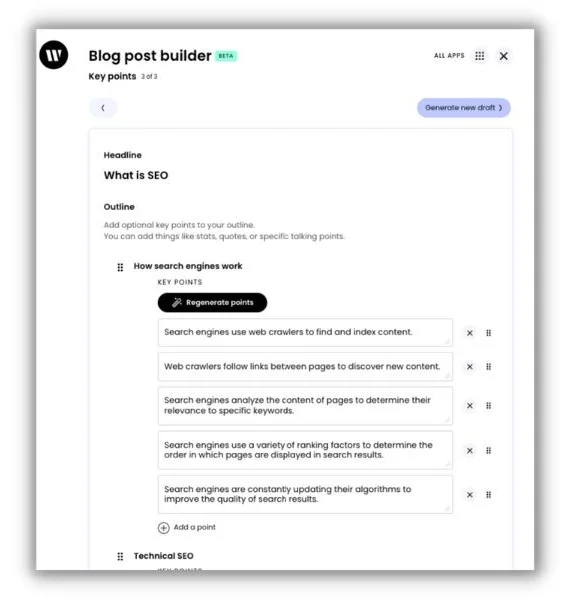
With the “bones” in place, Will customizes the outline to “add my own voice, insights, and creativity into the blog post.” Writer also gives Will AI-powered copy suggestions as he writes.
He said the time saved lets him focus on crafting captivating introductions and compelling arguments—the types of things that make human-written content stand out.
13. Write craftier subheadings
Subheadings are among the most important aspects of a blog page. They help readers skim and search engines crawl articles more effectively. That’s why Hsing Tseng, a freelance content writer, editor, and strategist, uses ChatGPT as a sounding board when she writes subheadings.
“AI tools can brainstorm much faster and more imaginatively (sometimes) than I have the creative bandwidth to do,” she said.
Here’s an example prompt Hsing shared.
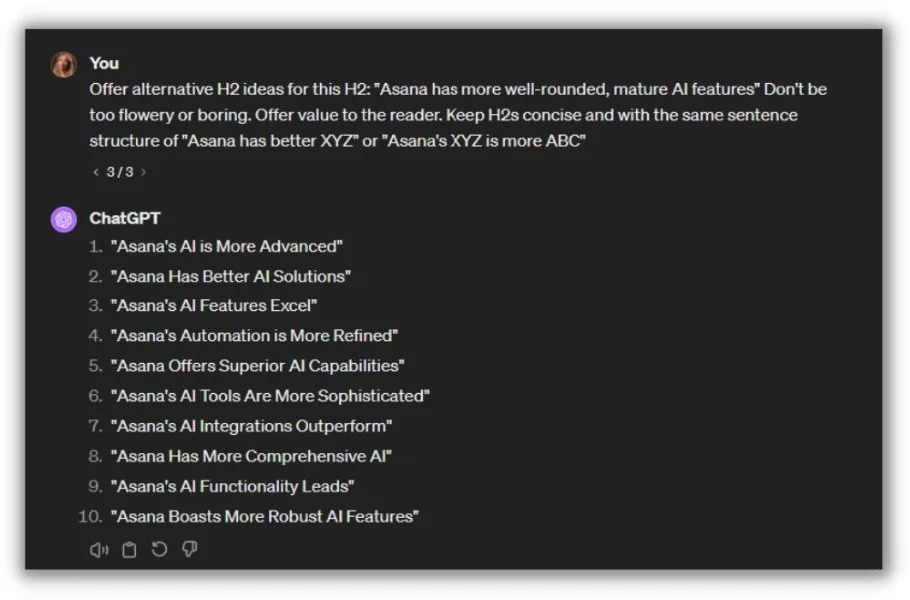
Notice how she adds tone and structure instructions to the prompt, like “don’t be too flowery” and “keep H2s concise.” Hsing said the more specific you can be, the better your output will be.
It’s not just about banging out better section titles, though. The AI suggestions Hsing gets incite new directions for a post she hadn’t considered yet. “I’m able to explore a broader range of angles, picking and choosing wording that might align better with the framing of my article,” she noted.
14. Scale product descriptions and ad copy
A single ecommerce website can have hundreds of products, each needing a concise description and advertising copy.
Gordon Donnelly, a multi-discipline marketer and SEO expert, said that’s one of his favorite use cases for AI. “I have a couple of affiliate/dropshipping sites, and ChatGPT is great for creating product descriptions and ads.”
Here’s an example of how Gordon prompts ChatGPT to zhuzh up a bland product description.
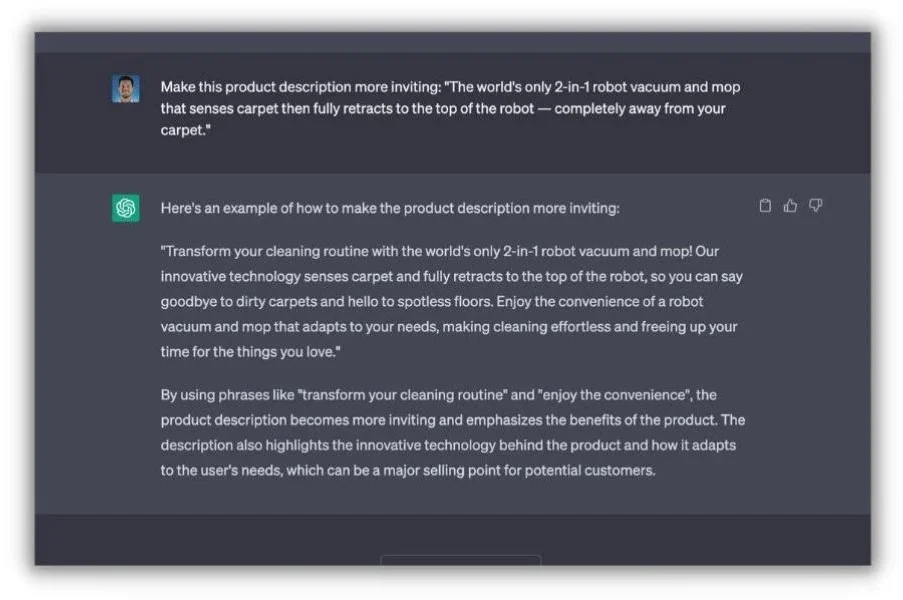
The key, said Gordon, is that you need to coach your AI tool with the right prompts to get it to say something interesting and useful. As he previously wrote, when prompting an AI tool, you should:
- Be specific
- Provide all the relevant information
- Follow up
Copyright: www.wordstream.com